Step 1. Prepare Windows
Before creating the virtual machine, enable the Hyper-V Windows feature and turn off automatic updates - they can interrupt farming at the worst possible moment and change your system's HWID.
What is Hyper-V
Hyper-V is the hypervisor built into Windows. It runs the virtual machine where the panel farms.
Download the files
You need two things:
- The system image archive - download it from this link.
-
The CruxSetup program - open the @CruxPanels_bot, press "Download" and choose CRUX SETUP.
The panel itself (FARM PANEL) is there too, but you don't have to download it separately: CruxSetup installs the panel for you in Step 6.
An active subscription is required
The "Download" button in the bot only works with an active subscription. If you don't have one yet, get it right there: "Buy subscription".
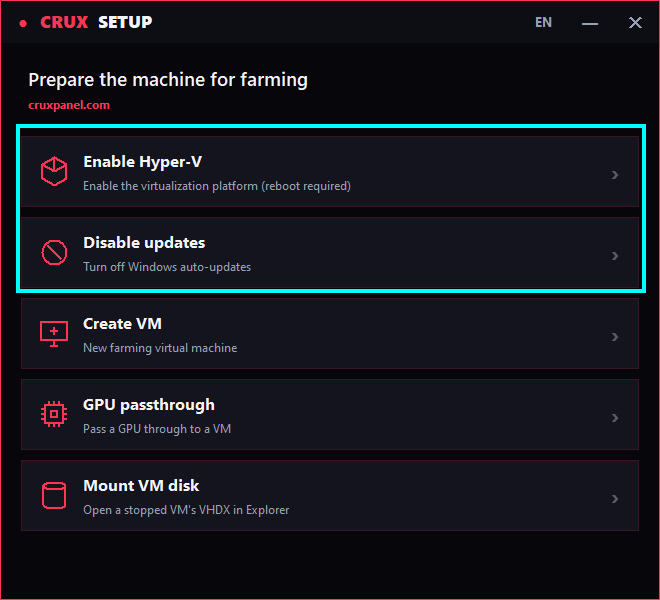
Open CruxSetup.exe - activate it following the on-screen instructions, then run the following tasks one by one:
- Enable Hyper-V
- Disable updates
Steps
Order matters!
Hyper-V first (with a reboot), and only then disable updates.
- Run
Enable Hyper-V. - Wait for the feature to install and reboot your PC when the program asks.
- After the reboot, launch the program again and click
Disable updates- it automatically turns off Windows automatic updates.
Done. Your system is ready - let's download the image.